Notes you can check
A summary that can’t show where it came from is a liability when the meeting was about money, hiring or a client. Every point had to lead back to what was actually said.
Overtalk is my own desktop app. It records meetings, transcribes them on your machine, and links every decision in its notes to what was said.
Overtalk records your microphone and call audio, or imports a recording, without an assistant joining the call. It transcribes with local speech models, separates the speakers, and writes notes you can edit. Decisions and actions point to the passage they came from, and you can ask questions across every meeting you have saved.
It started on 30 September 2026 as a fork of Meetily, an open-source meeting recorder. Its audio capture and parts of its Rust service still come from there. The work below is what I built after the fork; by 20 October, about 28% of the source lines were still identical to the upstream code.
A summary that can’t show where it came from is a liability when the meeting was about money, hiring or a client. Every point had to lead back to what was actually said.
Meeting audio is some of the most sensitive data a company has. Recording, transcription and notes had to work without a cloud account, and the heavy speech stack that makes that possible could not be allowed to reach the network or read credentials.
The inherited Tauri web view felt slow and never quite like a desktop app. A meeting notebook stays open all day, so the interface had to be fast and native, from one codebase for Linux, Windows and macOS.
Speech and summary models change constantly. Without a benchmark, every model swap is a guess about whether transcripts and notes got better or worse.
The native app and the retained web interface both call one Rust service, so each feature’s rules live in one place. The heavy and risky parts run as separate, restricted processes.
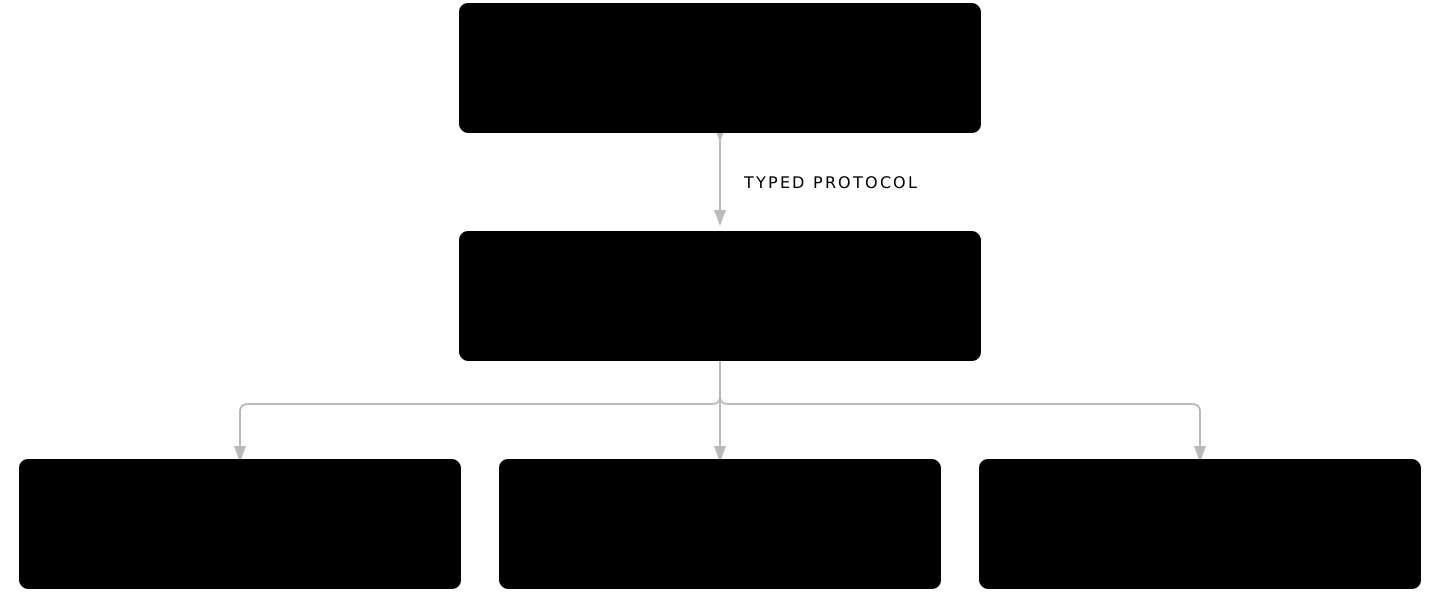
Speech recognition runs in a separate Python worker inside an OS-enforced sandbox, with no network, no credentials and no access to the app’s database. The worker stays loaded between jobs, so retranscribing a passage doesn’t reload the model, and you can start recording while the models are still downloading.
I replaced the inherited web view with a native Slint interface and a Rust controller, now the default. Slint is fast and memory-safe, and it targets Linux, Windows and macOS from one codebase. Speaker lanes, the waveform timeline and playback that follows the transcript are all native.
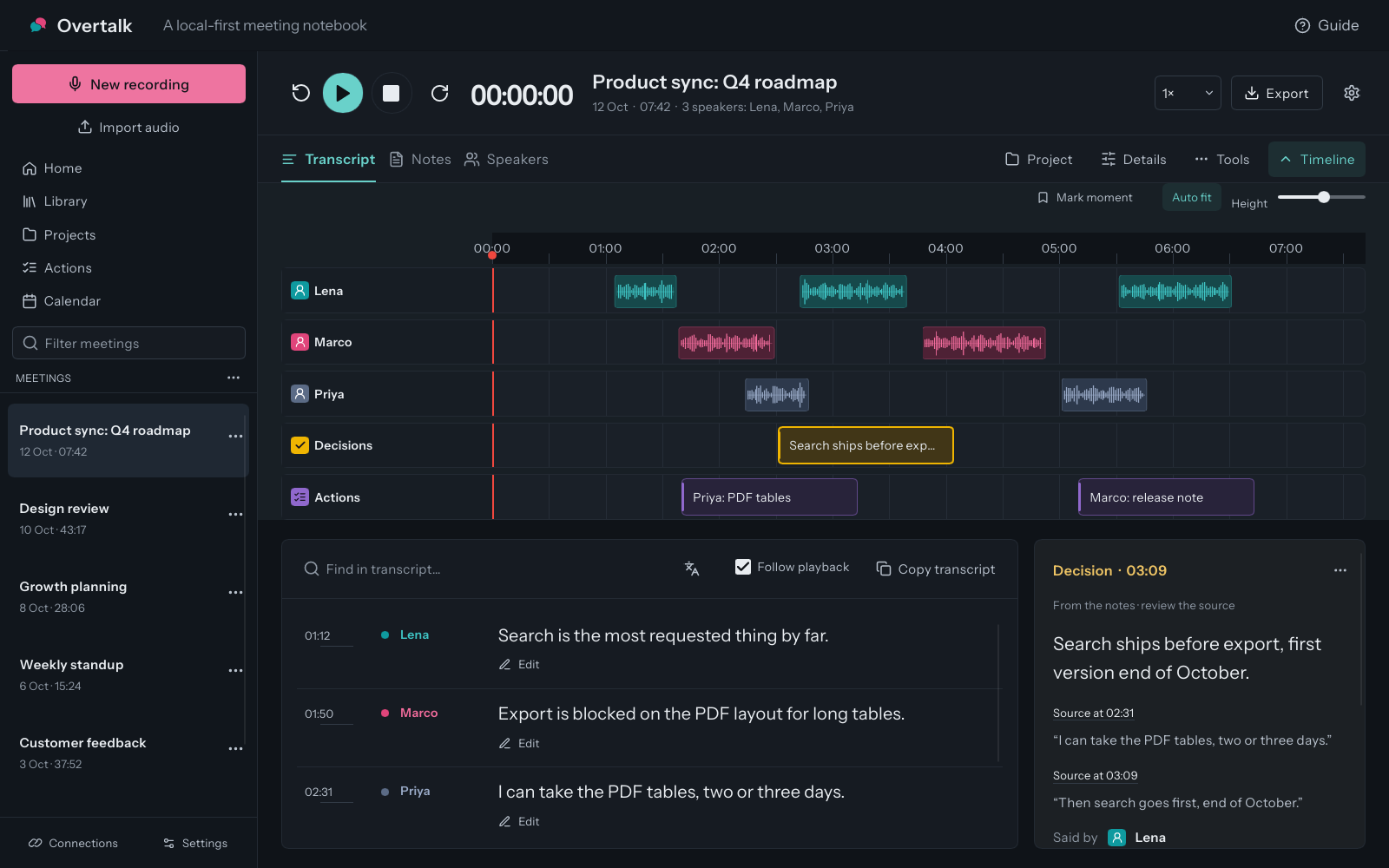
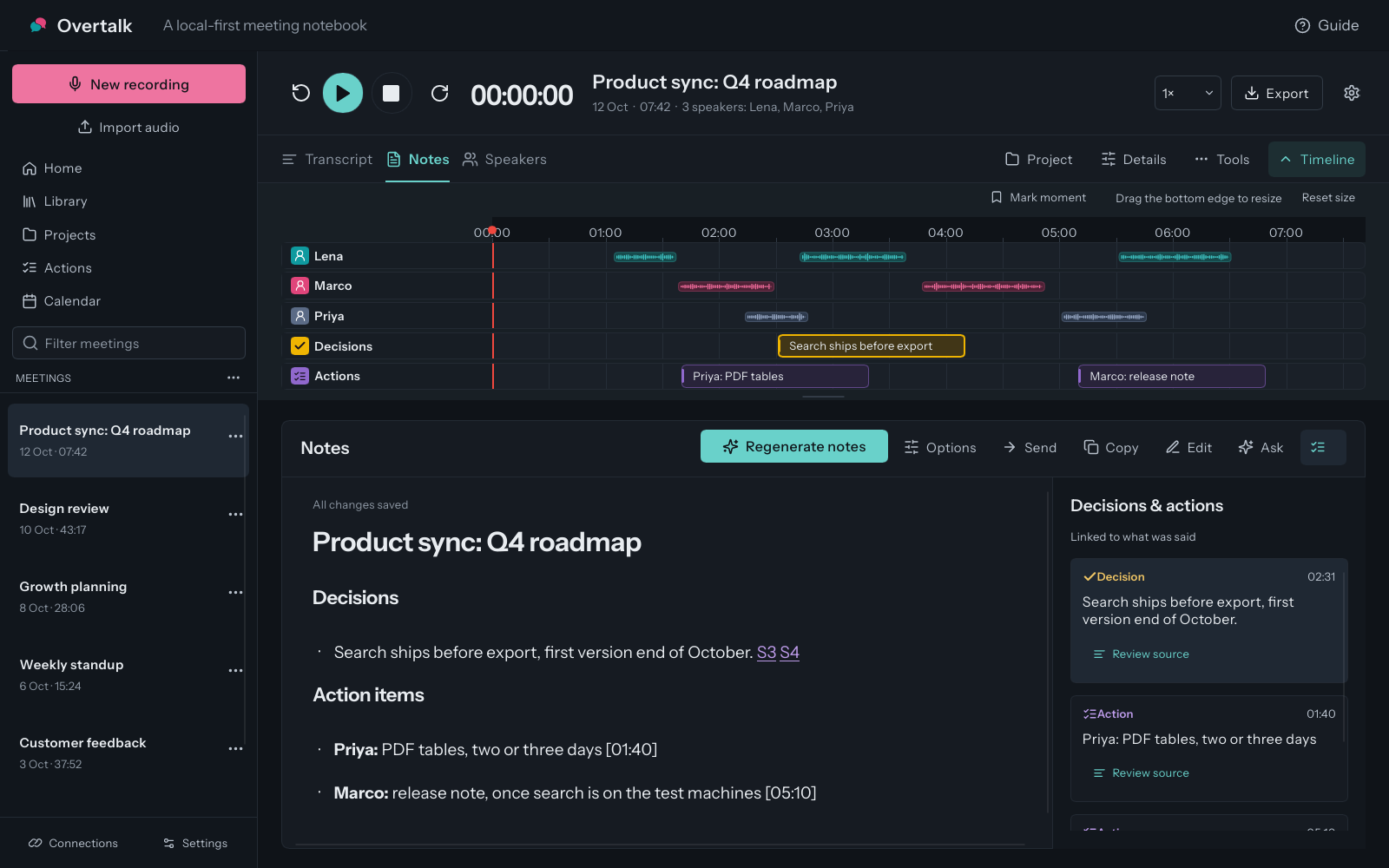
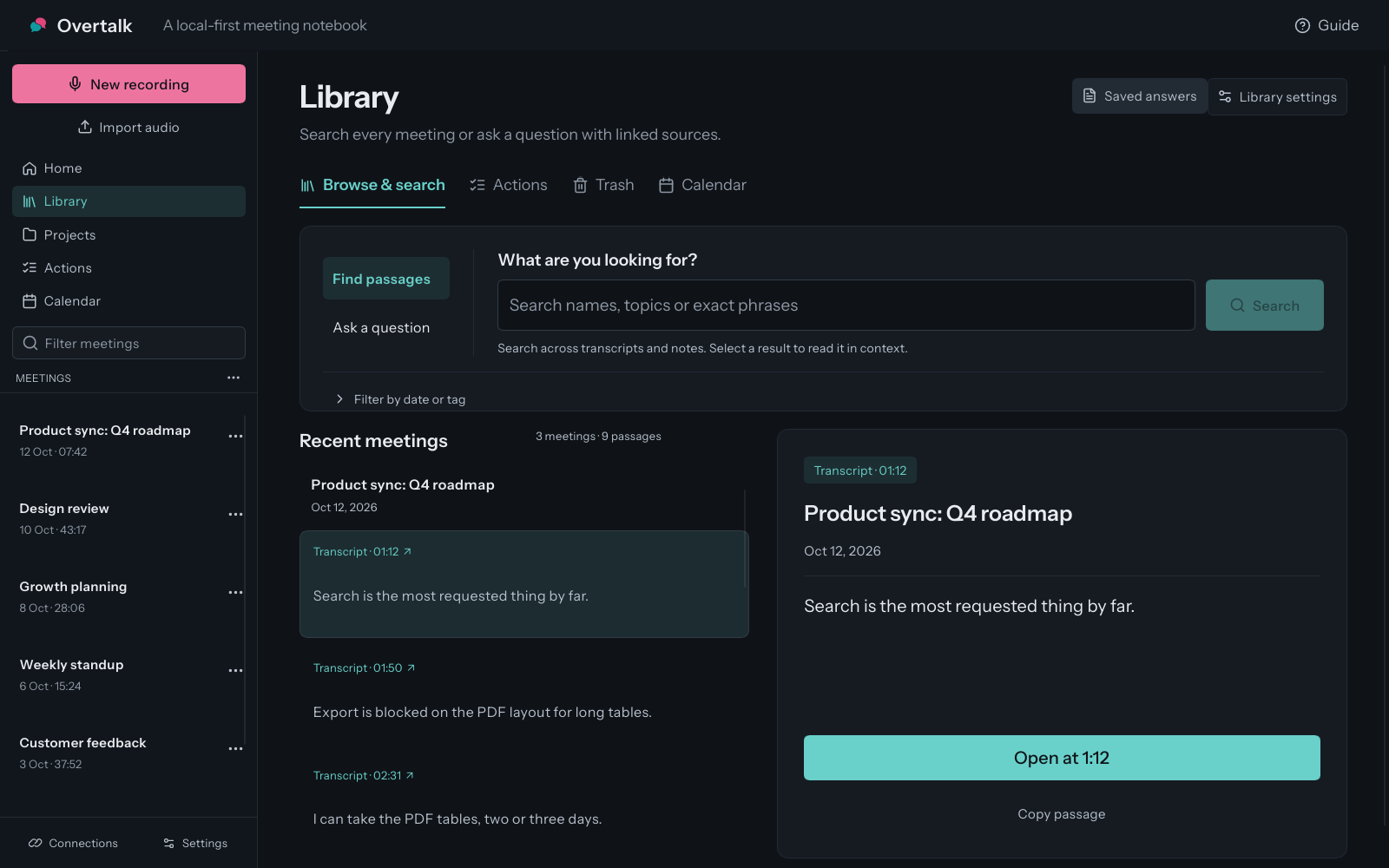
Every decision and action in the notes links to the passage it came from. Select one to read or play exactly what was said before you rely on it. Questions across the whole library come back with the same kind of source passages, so an answer is never more than one click from its evidence.
Projects group meetings, people and vocabulary. Overtalk files new meetings into their project and prepares a brief before the next one. Anything it learns from earlier meetings needs an exact source and your approval. Voice memory recognises only people whose consent it has recorded, and uncertain matches stay unnamed.
A CLI, an MCP server and a local API let other tools and AI assistants work with your meetings. Each one is off until you grant it permission, and any change Overtalk prepares for another tool waits for your review before it’s sent.
I built meetingbench, a set of 200 synthetic multilingual meetings for scoring transcripts and notes, so a model change is measured rather than guessed. Linux builds ship as a .deb and an AppImage with checksums, and a Flatpak manifest is ready.
The inherited Tauri web view became a native Slint app, now the default. Retranscribing no longer reloads the speech model each time: a cold load takes about 4.7 s, then warm clips take 0.10–0.15 s. Every decision and action in the notes now links to its passage, and a test set of 200 synthetic multilingual meetings scores transcripts and notes by difficulty.
Overtalk is my own product and I am its only engineer. I built it with AI coding agents as part of my everyday workflow; the product decisions, architecture, evaluation design and final review are mine.
I build AI assistants that work from your own data, show where every answer came from, and ask before they act. The AI Assistant Pilot puts one on your data, in staging, in two to three weeks.